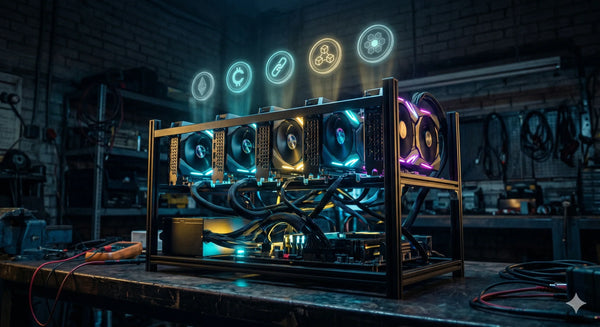
Most GPUs do one job. You mine with them, or you game with them, or you run AI workloads on them. The RTX 2080 Ti 22GB is one of the rare cards that genuinely earns its keep doing two things at once — or more accurately, two things in shifts. With 22GB of GDDR6 VRAM on Turing architecture, it's large enough to run serious local AI models and powerful enough to mine profitable GPU-mineable coins. This guide covers both sides of that equation for Australian users.
What's the Deal With 22GB on a 2080 Ti?
The original NVIDIA RTX 2080 Ti shipped with 11GB of GDDR6. The 22GB variant exists because Chinese workshops figured out how to double the memory by resoldering higher-capacity Samsung GDDR6 modules onto the existing PCB. It's a hardware modification, not a factory spec — and it's been proven reliable enough that these cards are now sold commercially as dedicated AI and mining GPUs.
The core silicon is unchanged: you still get 4,352 CUDA cores, 544 Tensor cores (2nd gen), 616 GB/s memory bandwidth, and the full Turing architecture. What changes is the VRAM ceiling. That extra 11GB transforms what this card can do with large AI models, and it means the DAG file size on memory-hungry mining algorithms is never a concern.
If you're coming from the ASIC vs GPU mining debate, this card sits firmly in the "GPU flexibility" camp — except now that flexibility extends beyond mining into AI workloads, which is a genuinely new value proposition for 2026.
Mining With the RTX 2080 Ti 22GB
With Ethereum's move to proof of stake in 2022, GPU miners pivoted to alternative coins. The RTX 2080 Ti remains competitive on several algorithms that are still profitable (or at least mineable) in 2026. Here's what you can realistically target:
Ethereum Classic (ETCHash)
ETC is the most straightforward GPU mining option. The 2080 Ti delivers approximately 50–59 MH/s on ETCHash at around 150–180W after tuning. With 22GB of VRAM, you'll never hit the DAG limit that has started to squeeze 4GB and even some 6GB cards off the network. If you're unfamiliar with ETC mining, our Ethereum Classic mining guide covers the full process. For a dedicated ASIC alternative, the iPollo V2X and Jasminer X4-Q are worth comparing — but they can't run AI models when they're not mining.
Ravencoin (KawPow)
RVN's KawPow algorithm is ASIC-resistant by design, making it a GPU-only coin. The 2080 Ti pushes around 25–30 MH/s at 180–200W. Ravencoin's focus on tokenised real-world assets gives it a use case beyond pure speculation, though profitability at Australian electricity rates is marginal.
Ergo (Autolykos2)
Ergo is another GPU-friendly chain. The 2080 Ti handles approximately 170–190 MH/s on Autolykos2 at modest power draw. The 22GB VRAM is overkill for Ergo's memory requirements, but it ensures long-term compatibility as the algorithm evolves.
Alephium (Blake3)
Alephium can be GPU-mined using software like SRBMiner. The 2080 Ti won't match a dedicated ASIC like the Goldshell AL BOX II Pro, but it contributes meaningful hashrate and lets you accumulate ALPH without buying separate hardware. Our altcoin vs Bitcoin mining comparison explores when GPU-mineable altcoins make strategic sense.
Overclocking for Mining
To get the best hashrate-per-watt from the 2080 Ti, you'll want to tune it using HiveOS or MSI Afterburner. The general approach for memory-heavy algorithms like ETCHash is to reduce the core clock, raise the memory clock, and set a power limit around 65–70%. This drops power consumption significantly while keeping hashrate high. Our GPU rig building guide covers the broader hardware context, and the principles in our overclocking guide translate well to GPU tuning.
AI Inference With 22GB VRAM
This is where the 22GB variant genuinely separates itself from any standard gaming GPU in its price range. VRAM is the single biggest bottleneck for running local AI models, and 22GB puts the 2080 Ti in the same memory class as an RTX 3090 — at a fraction of the cost.
Local LLM Inference
With 22GB of VRAM, the RTX 2080 Ti can run quantised large language models that would crash an 11GB card:
- 7B–8B parameter models (Llama 3, Mistral, Qwen 2): Run comfortably in Q8 or even FP16 quantisation. Expect around 40–50 tokens/sec on Llama 7B Q4 using llama.cpp with the CUDA backend — comparable to a modern RTX 4060 Ti.
- 13B parameter models: Fully loadable in Q4/Q5 quantisation with room for context. A standard 11GB card requires CPU offloading for these; the 22GB variant runs them entirely on-GPU.
- 22B–32B parameter models: Possible with aggressive quantisation (Q3/Q4). Dual 2080 Ti 22GB setups with NVLink have been demonstrated running 27B–31B models at over 100 tokens/sec.
For frameworks, llama.cpp (CUDA backend), Ollama, text-generation-webui, and vLLM all support Turing GPUs. The 2nd-generation Tensor cores are older than Ampere or Ada Lovelace, but for inference (as opposed to training), raw memory bandwidth matters more than peak FLOPS — and the 2080 Ti's 616 GB/s bandwidth holds up well.
Stable Diffusion and Image Generation
The 2080 Ti handles Stable Diffusion v1.5 effortlessly and runs SDXL at approximately 12 seconds per image. With 22GB, you can load multiple LoRAs, ControlNets, and high-resolution models simultaneously without hitting memory limits — a common frustration on 8–12GB cards. For Australians interested in AI art, product photography automation, or content creation, this is a practical home setup.
Other AI Workloads
Beyond LLMs and image generation, the 22GB 2080 Ti is useful for fine-tuning small models (LoRA/QLoRA on 7B parameter models), running local speech-to-text (Whisper), computer vision tasks, and AI-assisted coding tools. If you're a developer or researcher who also happens to mine, this card does double duty in a way that no ASIC ever will.
The Dual-Use Schedule: Mining and AI on One Card
You can't mine and run AI inference simultaneously on the same GPU — both are compute-heavy workloads that saturate the card. But you can schedule them intelligently:
- Mine during off-peak hours: If you're on a time-of-use electricity tariff, mine during the cheapest rate window (typically overnight and weekends in Australia). Our electricity market guide explains how to identify and exploit these windows.
- Run AI during the day: Use your working hours for LLM inference, image generation, or model training. The GPU is already powered on and warm — you're just switching workloads.
- Automate the switch: In HiveOS or a Linux environment, you can use cron jobs or systemd timers to stop the miner, launch your AI workload, and restart mining when you're done. On Windows, Task Scheduler achieves the same result.
This approach means the card is earning crypto when you're not using it for AI, and serving as a local compute platform when you are. The electricity cost is the same either way — you're just maximising the value extracted from every watt.
Electricity Cost Reality Check
The RTX 2080 Ti draws approximately 180–250W depending on the workload and power limit settings. At 200W (a reasonable mining tune), that's 4.8 kWh per day. Using the rates from our state-by-state electricity comparison:
| State | Approx. Rate (AUD/kWh) | Daily Cost (200W) | Monthly Cost |
|---|---|---|---|
| WA | $0.31 | $1.49 | $45 |
| QLD | $0.28 | $1.34 | $41 |
| NSW | $0.33 | $1.58 | $48 |
| VIC | $0.30 | $1.44 | $44 |
| SA | $0.38 | $1.82 | $55 |
At these rates, pure mining profitability depends heavily on which coin you're targeting and current market conditions. The dual-use angle changes the ROI calculation: if the card is also serving as your local AI platform, the "mining profitability" question becomes "does mining offset part of the electricity cost I'd be paying anyway for AI inference?" In most cases, yes — even at Australian rates.
If you're running solar, the economics improve dramatically. A 200W GPU running off excess daytime solar generation costs you nothing in electricity.
Building a Rig Around the 2080 Ti
If you're buying the RTX 2080 Ti 22GB as a standalone card for an existing system, you'll need a PSU with at least one 8-pin PCIe power connector and 300W of headroom beyond your other components. The card runs on a standard PCIe 3.0 x16 slot.
If you're building a dedicated multi-GPU rig, MinerHub carries the supporting hardware:
- ASRock H510 PRO BTC+ motherboard — supports multiple GPUs with PCIe slots designed for mining
- 2000W modular mining PSU — enough headroom for up to 6 GPUs
- Open frame mining rig chassis — maximises airflow around multiple cards
- PCIe riser 009S Plus — connects GPUs to x1 motherboard slots via USB 3.0 cable
Our full GPU rig building guide walks through the complete parts list and assembly process.
How the 2080 Ti 22GB Compares to Other Mining GPUs
Here's how it stacks up against other GPUs in the MinerHub GPU collection:
| GPU | VRAM | Best For | AI Capable? |
|---|---|---|---|
| RTX 2080 Ti 22GB | 22GB GDDR6 | ETC, RVN, Ergo + local AI | Yes — 13B+ LLMs, SDXL |
| RTX 3080 10GB | 10GB GDDR6X | ETC, RVN, Ergo | Limited — 7B models only |
| RX 6800 XT 16GB | 16GB GDDR6 | ETC, Ergo | Weak — ROCm support patchy |
| RX 6700 XT 12GB | 12GB GDDR6 | ETC, Ergo | Minimal |
| RX 9060 XT 16GB | 16GB GDDR6 | ETC, newer algos | Improving — RDNA 4 ROCm TBD |
The 2080 Ti 22GB is the only card in this lineup that comfortably runs 13B+ parameter LLMs without CPU offloading. For pure mining hashrate, the RTX 3080 edges it out on some algorithms — but it can't touch the 2080 Ti's AI versatility thanks to the VRAM gap.
Who Should Buy This Card?
The RTX 2080 Ti 22GB is ideal for a specific type of user:
- Developer-miners: You work in AI/ML during the day and want the card earning crypto overnight. The 22GB VRAM handles both workloads without compromise.
- AI hobbyists who want passive income: You bought the card for local LLMs or Stable Diffusion and want it mining when idle rather than sitting powered off.
- Diversification-focused GPU miners: You already run ASICs for Bitcoin or altcoins and want GPU-mineable coin exposure alongside an AI capability that ASICs can never offer.
It's not the right card if you're purely optimising for mining hashrate-per-dollar (newer GPUs or dedicated ASICs win there) or if you need the absolute latest AI architecture for training large models (that's RTX 4090/5090 territory). But for the dual-use sweet spot, nothing else in this price range comes close.
ATO Considerations
The tax treatment for GPU mining income is the same as ASIC mining — mined coins are assessable income (business miners) or subject to CGT on disposal (hobby miners). Our ATO crypto mining tax guide covers the full framework.
One advantage of GPU hardware: it has higher resale value than ASICs. The ATO allows you to claim hardware depreciation, and a GPU that retains 50–70% of its value after a year of mining has a very different depreciation profile than an ASIC that may lose 60–80%. Our resale value guide explores this in detail.
If you're using the card for both mining and AI work, keep records of the time split — the ATO expects you to apportion expenses like electricity and depreciation proportionally between income-generating (mining) and personal/business (AI) use.
Getting Started
The SZSJKJ RTX 2080 Ti 22GB is available now in the MinerHub store. Pair it with a 1000W PSU for a single-card setup, or scale up with our full range of rig accessories. If you're new to GPU mining, start with our rig building guide and stats monitoring walkthrough.
Have questions about the 2080 Ti or need help choosing between GPU and ASIC mining? Get in touch — we're always happy to talk through your setup.