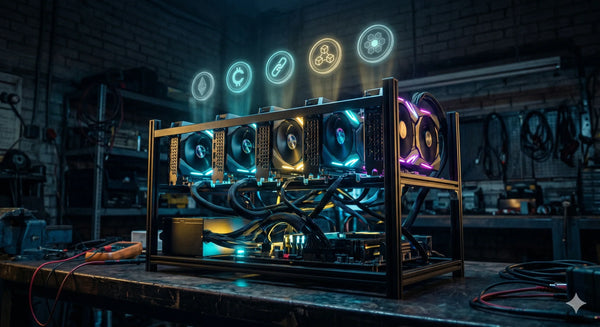
Building a GPU mining rig is one of the most hands-on ways to get into crypto mining. Unlike buying a plug-and-play ASIC, a GPU rig is assembled from individual components — which means you have control over what you spend, what you mine, and how you scale.
But it also means getting the parts list right from the start. Buy the wrong motherboard, underspec your PSU, or skip the right risers, and you'll spend more time troubleshooting than mining.
This guide covers every component you need, what to look for in each, and which products from our range fit the build — for Australian miners in 2026.
The Complete GPU Mining Rig Parts List
A GPU mining rig needs the following components:
- Graphics Cards (GPUs) — the core mining hardware
- Mining Motherboard — the backbone of the rig
- Power Supply Unit (PSU) — powers everything
- Open-Frame Rig Chassis — holds it all together
- PCIe Risers — connect GPUs to the motherboard
- CPU — just enough to run the OS
- RAM — minimal, 4–8GB is fine
- Storage (SSD or USB) — for the operating system
- Mining Software — runs on the OS, directs the GPUs
- A Crypto Wallet — to receive your mining rewards
Let's go through each one.
1. Graphics Cards (GPUs)
The GPUs are the engine of the rig. They do the actual hashing work — everything else exists to power and support them. The number of GPUs and their individual hashrate determines your total mining output.
Most rigs run between 4 and 8 GPUs. Six is the most common number because it fits within a standard 6-slot mining motherboard and a single high-wattage PSU. You can run fewer GPUs to start and expand later.
When choosing GPUs for mining, the key metrics are:
- Hashrate — how fast the card mines on your target algorithm (measured in MH/s or equivalent)
- Power draw — how many watts it consumes, which directly affects your electricity cost
- VRAM — some mining algorithms (particularly ETCHash) require a minimum amount of video memory; 8GB is the safe floor in 2026
- Resale value — GPUs retain value better than ASICs if you ever want to exit mining
We stock a range of GPUs suited to mining in our Mining GPUs collection:
AMD RX 6600 XT 8GB — An efficient mid-range card with solid hashrate on ETCHash and other modern algorithms. Low power draw makes it well-suited to home rigs where electricity cost is the primary concern.
AMD RX 5700 XT 8GB — A proven GPU mining workhorse. Strong hashrate on ETCHash and KawPow, widely supported across mining software, and 8GB VRAM keeps it algorithm-compatible.
Sapphire Nitro RX 6700 XT 12GB — Higher VRAM and strong all-round performance. The 12GB gives it flexibility across more algorithms, and Sapphire's Nitro cooling handles sustained mining loads well.
ASUS TUF RTX 3080 10GB — A high-performance Nvidia option with strong hashrate across multiple algorithms. Higher power draw, but output to match.
Gigabyte RX 9060 XT 16GB — AMD's latest architecture with 16GB GDDR6. Future-proofed VRAM capacity and strong efficiency figures on modern algorithms.
If you're undecided on GPU vs ASIC as a mining approach, our comparison guide covers the full picture: ASIC Mining vs GPU Mining in 2026: Which Is Right for You?
2. Mining Motherboard
A standard gaming or desktop motherboard typically has one or two PCIe slots. A mining motherboard has 6, 8, 12, or more — designed specifically to support a large number of GPUs running simultaneously.
The motherboard determines how many GPUs your rig can run and which CPU socket, RAM type, and storage interfaces are supported. Get this wrong and you'll either hit a GPU count ceiling early or face compatibility headaches.
Key things to look for:
- PCIe slot count — matches or exceeds the number of GPUs you plan to run
- CPU socket compatibility — must match whatever CPU you pair it with
- Stable multi-GPU support — not all consumer motherboards handle 6+ GPUs reliably under continuous load
- Onboard power connectors — some mining boards use ATX 24-pin plus additional connectors for PCIe riser power
We stock the ASRock H510 Pro BTC+ — a dedicated mining motherboard with support for multiple GPUs, LGA1200 CPU socket, and stability-focused firmware. It's a solid foundation for a 6-GPU build.
Also worth considering for GPU-heavy builds: the ASRock AMD BC250 Mining Card, which takes a different approach — integrating GPU and compute functionality directly onto a mining-optimised card.
3. Power Supply Unit (PSU)
The PSU is the component people most commonly underspec, and it's the one most likely to cause crashes, instability, or fire risk if you get it wrong.
Calculate your total rig power draw by adding up the TDP of every GPU plus overhead for the motherboard, CPU, and risers (typically 50–100W). Then add 20% headroom — you never want a PSU running at 100% capacity continuously.
For a 6-GPU rig with mid-range cards drawing 100–150W each:
- 6 × 130W = 780W from GPUs
- Plus ~100W system overhead
- Total ~880W — a 1200W or 1600W PSU gives safe headroom
For higher-draw cards like the RTX 3080 (320W TDP each), a 6-card rig needs considerably more — a 2000W+ PSU or dual PSU setup.
We stock the 2000W Full Modular ATX Mining PSU — purpose-built for multi-GPU rigs with enough headroom for 6 high-draw cards and full modular cabling to keep the build tidy.
Key specs to check on any PSU:
- 80 Plus rating — Gold or Platinum for efficiency at continuous load
- Modular cabling — essential for airflow management in an open frame
- PCIe connector count — must have enough 6+2 pin connectors for all GPUs (or risers)
- Continuous vs peak rating — always go by the continuous rating, not peak
4. Open-Frame Rig Chassis
GPU mining rigs don't use standard PC cases. The GPUs run hot under continuous load, and a closed case will trap heat and throttle performance. An open-frame chassis keeps everything accessible and well-ventilated.
Open frames also make it much easier to cable, adjust, and add GPUs as you scale the rig.
We stock the ATX Open Frame Mining Rig Chassis (Steel, Black) — a sturdy steel frame with mounting positions for up to 6 GPUs, PSU bracket, and motherboard tray. It's the standard foundation for a home or small-scale professional rig.
5. PCIe Risers
PCIe risers are the ribbon-cable adapters that connect each GPU to a PCIe slot on the motherboard, allowing the cards to sit in the open frame rather than plugged directly into the board. Every GPU beyond the first one needs a riser.
For a 6-GPU rig, you need 6 risers (or 5 if you run one GPU directly in the primary PCIe x16 slot, though using a riser for all 6 is cleaner).
Things to look for in risers:
- Powered via SATA, Molex, or 6-pin PCIe — the 6-pin version is the safest for higher-draw cards; avoid cheap SATA-powered risers on cards drawing over 75W
- USB 3.0 ribbon cable connection — the current standard
- Version 009S or equivalent — check compatibility with your motherboard
Risers are a consumable item — keep spares. They're a common failure point in long-running rigs.
6. CPU
The CPU in a GPU mining rig does almost nothing during mining — it just runs the operating system and the mining software. You do not need a powerful CPU. A budget dual-core or quad-core processor compatible with your mining motherboard is fine.
For the ASRock H510 Pro BTC+, you need an LGA1200 socket CPU — 10th or 11th gen Intel (Celeron, Pentium, or low-end Core i3 all work). Don't waste money here.
7. RAM
Similarly, RAM requirements are minimal. 4GB is the absolute floor; 8GB DDR4 is the recommended minimum for a stable Windows or Linux mining OS. You don't need more than this for a standard GPU mining build.
8. Storage
A small SSD (120GB is plenty) or even a quality USB drive running a lightweight Linux mining OS (like HiveOS or RaveOS) is sufficient. The OS and mining software together take up very little space.
If you're running Windows, a 120–240GB SSD keeps boot times fast and the system stable.
9. Mining Software
Mining software connects your GPUs to the mining pool or solo mining node, manages the workload, and reports hashrate. Common options in 2026 include:
- T-Rex Miner — popular for Nvidia cards, supports many algorithms
- lolMiner — strong AMD support, widely used on ETCHash
- TeamRedMiner — well-optimised for AMD Radeon cards
- PhoenixMiner — established ETCHash miner for both AMD and Nvidia
Most mining software is free to download, with a small developer fee (typically 0.5–1%) deducted from hashrate.
If you're choosing between mining pool and solo mining, read our breakdown: Mining Pool vs Solo Mining: Which Is Best for Beginners?
10. Crypto Wallet
You need a wallet address for the coin you're mining before you can receive any payouts. Your mining software and pool configuration will ask for a payout address — this is where mined coins are sent.
For most altcoins mined via GPU, a software wallet (Exodus, Trust Wallet, or the coin's official wallet) is sufficient. For larger-scale operations, a hardware wallet adds an extra layer of security for stored funds.
Estimating Your Build Cost in Australia
GPU rig costs vary significantly depending on the cards you choose. A rough guide for a 6-GPU build in AUD in 2026:
- 6 × mid-range AMD GPUs (e.g. RX 6600 XT) — the largest single cost
- Mining motherboard — ASRock H510 Pro BTC+ or equivalent
- 2000W modular PSU — budget for quality here, don't cut corners
- Open-frame chassis — steel frame, relatively low cost
- Risers (×6), CPU, RAM, SSD — minor costs individually
The GPUs typically represent 70–80% of total build cost. Everything else is infrastructure.
Before you commit to a build, it's worth running the numbers on profitability at your local electricity rate. Australian power prices vary significantly by state and plan — see our deep-dive: Electricity Prices in Australia and the Real Cost of Crypto Mining in 2026
GPU Mining vs Buying an ASIC: A Quick Note
If your primary target is Bitcoin, a GPU rig cannot compete with a dedicated SHA-256 ASIC. Bitcoin mining has been ASIC-dominated for years — a GPU has no meaningful hashrate on the SHA-256 network.
GPU rigs shine on altcoin algorithms — ETCHash (Ethereum Classic), KawPow (Ravencoin), Scrypt (when not using dedicated ASICs), and others. They also offer flexibility: you can switch algorithms as profitability shifts, and resell the cards if you exit mining.
For a full side-by-side comparison, see: ASIC Mining vs GPU Mining in 2026: Which Is Right for You?
If you do want to explore ASIC options alongside or instead of GPUs, browse our ASIC Miners collection or our Altcoin Miners collection for dedicated hardware covering Scrypt, KHeavyHash, ETCHash, and more.
Ready to Build?
You can find all the GPU mining hardware you need in one place. Browse our GPU Miners collection for cards and rig components, or head to our Rig Accessories collection for frames, PSUs, and supporting hardware.
Not sure which GPU or configuration suits your setup? Get in touch — we're based in Perth and happy to help Australian miners plan their builds.