Every miner generates heat. A 400W Goldshell Mini Doge III adds noticeable warmth to a room. A 3,510W Antminer S21 Pro can raise a closed garage by 10–15°C in under an hour. The stock fans on your hardware are designed to cool the chips — not the room. That's your job, and the most cost-effective way to do it at home is with inline duct fans and proper ventilation.
This guide covers the practical side: what to buy, how to size it, how to install it, and the mistakes that will cost you hashrate or hardware if you get them wrong. It complements our broader thermal management guide for Australian summers with a specific focus on ducted airflow solutions.
Why Inline Fans and Ducting?
The core problem with mining indoors is heat recirculation. Your miner pulls in cool air from one side and blasts hot exhaust out the other. If that hot air has nowhere to go, it loops back into the intake and your chip temperatures climb. The miner's fans spin harder, noise increases, and eventually the unit throttles or shuts down to protect itself.
Inline duct fans solve this by creating a defined airflow path: cool air in from one side of the room (or from outside), through the miner, and hot exhaust ducted out through a wall, window, or ceiling vent. It's the same principle used in grow rooms, server closets, and commercial kitchens — and it works brilliantly for mining.
Compared to alternatives like portable air conditioners (which consume 1,000–1,500W themselves) or immersion cooling (which requires specialised fluid and tanks), ducting is cheap, simple, and energy-efficient. A good inline fan draws 30–100W while moving hundreds of cubic metres of air per hour.
Understanding the Key Concepts
Airflow (CFM or m³/h)
Fans are rated by how much air they move, expressed in cubic feet per minute (CFM) or cubic metres per hour (m³/h). For mining, you want enough airflow to exchange the air in your mining space multiple times per hour. A single full-scale ASIC miner like the Antminer S21 pushes around 400–600 m³/h through its own fans. Your inline fan needs to match or slightly exceed this to prevent backpressure.
Static Pressure
Moving air through ducting creates resistance — especially around bends, reducers, and long straight runs. Fans with higher static pressure ratings push air more effectively through these restrictions. For mining ducting with one or two bends and runs under 3 metres, most quality inline fans handle this fine. Once you exceed 3 metres or add more than two 90° bends, you'll need a more powerful fan or a booster fan mid-run.
Negative Pressure
A negative pressure setup exhausts more air than it takes in. This means the room is always pulling fresh air in through any gaps, vents, or dedicated intake points — and hot air never leaks out into adjacent living spaces. For mining rooms, negative pressure is the gold standard. It keeps heat contained and directed out through your ducting.
Sizing Your Fan: How Much Airflow Do You Need?
The rule of thumb is straightforward: calculate the total heat output of your miners and match your exhaust capacity accordingly.
For a single miner setup, match your inline fan's CFM/m³/h rating to the miner's own airflow spec (found in the manual or manufacturer's data sheet). For multiple miners, add the airflow requirements together and add 20% headroom.
Here's a rough guide based on common setups:
| Setup | Total Wattage | Minimum Fan Rating | Recommended Duct Diameter |
|---|---|---|---|
| 1× low-power altcoin ASIC (e.g. KS0 Ultra, iPollo V2X) | 100–200W | 100–150 CFM | 100 mm (4″) |
| 1× mid-range ASIC (e.g. AL BOX II Pro, SC-LITE) | 400–950W | 200–300 CFM | 150 mm (6″) |
| 1× full-scale Bitcoin ASIC (e.g. S21, A1346) | 2,600–3,500W | 400–600 CFM | 200 mm (8″) |
| Multi-GPU rig (4–6 cards) | 800–1,800W | 300–500 CFM | 150–200 mm (6–8″) |
| 2–3 full-scale ASICs | 6,000–10,000W | 800–1,500 CFM | 250 mm (10″) or dual 200 mm |
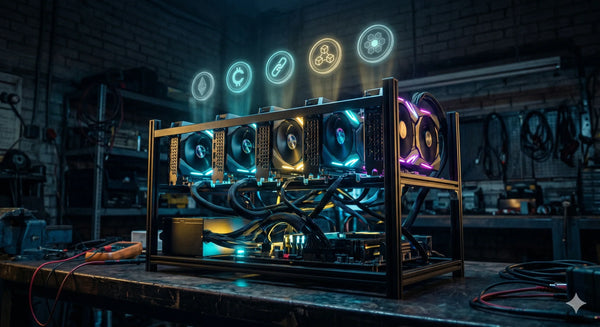
If you're running a multi-GPU rig built on an open frame chassis, the open design helps with natural convection but you'll still need ducted exhaust to move the accumulated heat out of the room — especially with 4+ cards running.
Choosing Your Duct Diameter
This is where many home miners go wrong. Undersized ducting creates backpressure, which makes your miner's fans work harder and reduces cooling effectiveness. The physics are simple: a larger diameter duct moves the same volume of air with less resistance.
The general rules:
- 100 mm (4″): Only suitable for single low-wattage miners under 200W. Barely adequate for anything larger.
- 150 mm (6″): The sweet spot for single mid-range ASICs and small GPU rigs. Most readily available inline fans fit this size.
- 200 mm (8″): Required for full-scale Bitcoin ASICs. Strongly recommended if your duct run exceeds 2 metres or includes bends.
- 250 mm (10″): Multi-miner setups with 6,000W+ total draw. At this scale you might also consider dual 200 mm runs.
Use rigid or semi-rigid aluminium ducting wherever possible. Flexible ducting (the corrugated kind) creates significantly more air resistance due to its ridged interior. If you must use flex duct, keep the run as short and straight as possible, and size up one diameter.
Recommended Inline Fans for Australian Miners
The AC Infinity CLOUDLINE series is the go-to for home mining setups. They're quiet, speed-controllable, and available in Australia through Amazon AU and hydroponic suppliers. Key models:
- CLOUDLINE T4 (100 mm): 205 CFM, 32 dB — suitable for a single low-power altcoin ASIC
- CLOUDLINE T6 (150 mm): 402 CFM, 32 dB — the most popular choice for single mid-range miners and small GPU rigs
- CLOUDLINE T8 (200 mm): 807 CFM, 38 dB — what you need for a full-scale Bitcoin ASIC
- CLOUDLINE T10 (250 mm): 1,065 CFM, 40 dB — multi-miner exhaust
The S-series (e.g. CLOUDLINE S6) is the budget option without the temperature controller — still functional but you'll need to manage speed manually. For Australian conditions where summer ambient temperatures regularly exceed 35°C, the T-series with built-in thermostat control is worth the extra cost. It automatically ramps the fan up when temperatures rise and dials it back at night.
Alternative brands available locally include Fantech (Australian commercial HVAC brand, industrial-grade but louder), Soler & Palau (excellent static pressure, good for long duct runs), and generic hydroponic inline fans (cheap but often noisy and unreliable for 24/7 duty).
Shrouds: Connecting Your Miner to Ducting
A shroud is the adapter that captures the miner's exhaust and channels it into your ducting. For large ASICs like the Antminer S19K Pro or WhatsMiner M30S, you can buy universal ASIC shrouds online (search "Antminer duct shroud" or "Whatsminer exhaust shroud") or 3D-print one if you have access to a printer. These typically adapt the miner's rectangular exhaust face to a standard 150 mm or 200 mm circular duct connection.
For compact altcoin ASICs like the IceRiver KS0 Ultra or Mini Doge III, the form factor is small enough that a shroud may not be necessary — positioning the miner near the duct intake with 10–20 cm clearance is often sufficient. The key is ensuring the exhaust air path leads directly to the duct without recirculating.
For GPU rigs on an open frame, there's no single exhaust point to shroud. Instead, position the duct intake above and behind the rig where hot air naturally rises, and use the inline fan to pull it away.
Step-by-Step: Setting Up a Basic Ducted Exhaust
Here's a practical walkthrough for the most common Australian home mining scenario — a single ASIC in a garage or spare room, venting through an exterior wall.
What You'll Need
- Inline duct fan (sized per the table above)
- Rigid or semi-rigid aluminium ducting (matching diameter)
- Exhaust shroud or adapter for your miner model
- Wall vent cap with insect screen and backdraft damper
- Aluminium HVAC tape (not cloth duct tape — it degrades in heat)
- Hose clamps for duct connections
- Core hole saw or jigsaw for wall penetration (if needed)
- Rubber vibration mounts or foam pads for the fan
Installation Steps
- Plan the duct route. Shortest path from miner exhaust to exterior wall. Minimise bends — each 90° bend reduces effective airflow by roughly 15–20%. If you can go straight through the wall behind the miner, do it.
- Cut the wall penetration. Use a core hole saw matched to your duct diameter. In Australian brick veneer, you'll go through plasterboard, the cavity, and the outer brick — this may require a masonry core drill. For fibro or weatherboard, a standard hole saw works. If you're renting, a window exhaust plate is a non-destructive alternative.
- Install the exterior wall vent cap. Use one with an insect mesh (essential in Australia — you don't want wasps nesting in your ducting) and a backdraft damper to prevent outside air flowing in when the system is off.
- Mount the inline fan. Position it mid-run between the miner and the wall, not right at the exhaust face. This reduces vibration noise and distributes suction more evenly. Mount with rubber isolators or hang with bungee cord to prevent vibration transfer to walls or shelves.
- Connect the ducting. Shroud → duct → inline fan → duct → wall vent. Seal every connection with aluminium HVAC tape and secure with hose clamps. Air leaks defeat the purpose.
- Set up intake. If you're aiming for negative pressure, the room needs a dedicated fresh air intake. A louvred wall vent on the opposite side of the room (positioned low — cold air sinks) works well. If you can't cut another hole, leave a window cracked on the intake side.
- Test and adjust. Power up the miner and fan. Check miner chip temperatures after 30 minutes of operation. Use a smoke pen or incense stick to verify airflow direction at the intake and exhaust points. Adjust fan speed until temperatures stabilise within the manufacturer's recommended range.
Noise Reduction With Ducting
This is one of the biggest side benefits of ducted exhaust. By capturing the miner's exhaust in a shroud and routing it through a sealed duct, you eliminate the open-air "jet engine" blast. Miners report 10–15 dB reductions with a properly sealed shroud and duct setup — and remember, a 10 dB drop is roughly a halving of perceived loudness.
For further noise reduction:
- Insulated ducting: Acoustic-insulated duct (available from HVAC suppliers) absorbs sound within the duct itself. Adds about $15–25/metre over standard aluminium.
- Inline silencers: A duct silencer (a section of duct lined with acoustic foam) installed between the miner and the wall vent can knock off another 5–10 dB.
- Fan placement: An inline fan placed mid-run is quieter than one mounted at an open duct mouth. The surrounding duct acts as a natural baffle.
- Vibration isolation: Mount the fan on rubber grommets or suspend it with bungee cord. Vibration transmitted into walls and shelves produces low-frequency hum that carries further than the fan noise itself.
If noise is your primary concern (especially in suburban areas where neighbours are close), our coverage of mining in sheds and garages discusses additional soundproofing strategies and council noise regulations in Australian states.
Cooling GPU Mining Rigs With Ducting
GPU rigs present a different challenge to ASICs. An ASIC has a defined intake and exhaust — it's essentially a wind tunnel. A GPU rig on an open frame radiates heat in all directions from each card's fans.
The approach for GPU rigs:
- Position the rig so all cards' exhaust faces the same direction (typically upward on a standard open frame).
- Mount the inline fan's intake duct directly above the rig, 15–30 cm from the top of the cards. This captures the rising hot air column.
- Ensure fresh intake air enters from below or from the opposite side of the room.
- For multi-GPU rigs with 6 cards on a 12-slot motherboard or similar, you may need a wider duct collection hood rather than a single round duct point.
If you're running cards like the RTX 3080 or RX 6800 XT which generate 250–350W each, a 6-card rig produces 1,500–2,100W of heat. A 150 mm inline fan is the minimum; 200 mm is preferred.
Australian-Specific Considerations
A few things that apply specifically to setting this up in Australia:
- Summer ambient temperatures: In Perth, Adelaide, and inland areas, garage temperatures regularly hit 40–45°C in summer. At those temps, ducting alone isn't enough — you're pulling in hot air from outside. Consider running intake ducting from a shaded south-facing wall, or supplementing with evaporative cooling on the intake air. Our summer thermal management guide covers strategies in detail.
- Insect and pest protection: Always use mesh screens on exterior vents. Australian wasps, spiders, and geckos will absolutely colonise warm ducting if given the chance.
- Rental restrictions: If you're renting, you likely can't cut holes in walls. Window exhaust plates (flat panels that replace the window glass with a duct port) are a reversible alternative. Available from hydroponic and HVAC suppliers in standard window widths.
- Electrical capacity: Running an inline fan (30–100W) on the same circuit as a high-draw ASIC is fine in most cases, but check your circuit breaker capacity. Australian residential circuits are typically 20A at 240V (4,800W). A 3,510W miner plus fan and other loads may push the limit. Our multi-miner networking guide touches on electrical planning for multi-unit setups.
- Dust: Australia is a dusty country. Add a filter on your intake vent — a basic HVAC filter panel cut to size works. Clean or replace it monthly, and continue to monitor your miner's temperature stats for creeping rises that indicate clogged filters or dust buildup on heatsinks.
Heat Reuse: Turning Exhaust Into an Asset
If you're ducting hot exhaust air anyway, why not put it to work? During Australian winters (especially in southern states), the exhaust from even a modest miner provides meaningful space heating. Our dedicated guide on heat reuse for Australian miners covers pool heating, hot water preheating, and winter space heating in detail.
The ducting infrastructure you build for summer exhaust venting can be repurposed in winter by simply redirecting the exhaust duct into the living space instead of outside. A Y-junction with a manual damper lets you switch between summer exhaust mode and winter heat recovery mode in seconds.
Maintenance Schedule
Ducted cooling systems need periodic attention to stay effective:
- Weekly: Check miner chip temperatures and fan RPMs via your monitoring dashboard. Any gradual rise indicates airflow restriction.
- Monthly: Clean or replace intake air filters. Inspect duct connections for tape failure or separation.
- Quarterly: Remove and clean the inline fan blades with compressed air. Check the exterior vent cap for insect nests or debris blockage.
- Annually: Full duct inspection. Replace any flex ducting that has sagged, kinked, or developed holes. Check the miner's internal fans and heatsinks per the manufacturer's maintenance guidelines — our ASIC repair basics guide covers fan replacement if needed.
What This Setup Costs
For a single-miner ducted exhaust in Australia, expect to spend roughly:
| Component | Approximate Cost (AUD) |
|---|---|
| Inline fan (AC Infinity T6 or equivalent) | $150–$220 |
| Rigid aluminium ducting (2–3 m) | $30–$60 |
| Exhaust shroud / adapter | $30–$80 (or free if 3D-printed) |
| Exterior wall vent cap with mesh | $20–$40 |
| HVAC tape, clamps, fittings | $15–$25 |
| Core drill hire (if cutting brick) | $50–$100 |
| Total | $295–$525 |
That's a one-time investment that protects hardware worth considerably more. Compared to the ongoing electricity cost of running a portable air conditioner ($300–$600/year), ducted exhaust pays for itself within months while consuming a fraction of the power.
Getting Started
Proper cooling is the difference between a miner that runs reliably for years and one that throttles, overheats, and dies early. Inline fans and ducting are the most practical and cost-effective solution for Australian home miners — whether you're running a single altcoin ASIC in a spare room or multiple Bitcoin miners in a garage.
If you're setting up a new mining operation and want hardware recommendations matched to your space and cooling capacity, get in touch with us. We're happy to help you plan a setup that runs cool, quiet, and profitable.