Your GPU mining rig is only as reliable as its power supply. Get the PSU wrong and you're looking at unstable hashrates, unexpected shutdowns, degraded GPU lifespan, or in the worst case a fire risk. Yet power supplies are consistently the component that new miners underspec, overbuy on impulse, or pick based on price alone without understanding what the wattage rating actually means in practice. This guide walks through everything you need to know to choose the right PSU for a GPU mining rig in Australia — covering load calculations, efficiency ratings, form factors, 240V considerations, and the specific options available from MinerHub.
Why PSU Choice Matters More in Mining Than in Gaming
A gaming PC runs at peak power for short bursts — a benchmark run, a heavy scene, a long session. A mining rig runs at sustained near-peak load 24 hours a day, seven days a week. That distinction changes everything about how you should size and select a power supply.
Component manufacturers rate PSUs at peak capacity, but continuous sustained load is a different challenge. Running a PSU at or above 80–85% of its rated capacity continuously generates more heat, stresses capacitors, reduces efficiency, and shortens the unit's service life. The general rule in mining is to target 70–80% of rated PSU capacity as your actual operational load. A PSU running at 70% load runs cooler, more efficiently, and far longer than one running flat-out.
Australian miners have an additional advantage here: 240V mains power. At 240V, a PSU draws roughly half the amperage compared to the same wattage load at 120V (as used in North America). This means less heat in the power circuitry, better efficiency, and the ability to run more wattage through standard household wiring without tripping breakers. Always confirm any PSU you purchase is rated for 220–240V input — most modern ATX units are universal voltage, but verify before you buy.
Step One: Calculate Your Rig's Total Power Draw
Before you look at a single PSU, you need to know your rig's actual wattage. Do not rely on GPU TDP figures printed on the box — those are manufacturer thermal design points, not real-world mining draw figures, and they're usually higher than what you'll see after tuning.
The most accurate approach is to look up community-tested power figures for your specific GPU at your intended memory clock and power limit settings. Tools like WhatToMine list typical mining power draw per card. For a rough pre-purchase estimate, use the GPU's rated TDP and add 10–15% for the rest of the system (motherboard, CPU, RAM, storage, risers, fans).
Here's a simple worked example for a 6-GPU rig running AMD RX 580 8GB cards from MinerHub's SOYO RX 580 — a proven mining card with a well-understood power profile:
- 6 × RX 580 at ~85W each (tuned, power-limited) = 510W
- Motherboard, CPU, RAM, SSD = ~80W
- 6 × PCIe risers = ~12W
- Fans = ~10W
- Total estimated draw: ~612W
At the 70–80% load rule, you'd want a PSU rated for at least 765–875W for that rig. A 1000W unit sits comfortably in range with headroom to spare.
Now run the same exercise for a rig using higher-power cards. Six Yeston RX 6800 XT 16GB cards at a conservative 150W each (heavily power-limited from the 300W TDP) would draw 900W for the GPUs alone — closer to 1050W total. That pushes you toward a 1200W+ unit or a dual-PSU setup, which we'll cover below.
Understanding Efficiency Ratings: The 80 Plus Scale
PSU efficiency is expressed as the percentage of AC power drawn from the wall that is converted into DC power delivered to components. A 1000W PSU rated at 90% efficiency consumes 1111W from the wall to deliver 1000W to your rig. The remaining 111W is wasted as heat.
The 80 Plus certification tiers — Bronze, Silver, Gold, Platinum, Titanium — represent efficiency at 20%, 50%, and 100% load under 115V testing. For Australian 240V operation, actual efficiency is typically 1–3% higher than the rated figures, which is a minor bonus. What matters practically is the tier:
- 80 Plus Bronze (~85% at 50% load): Acceptable for budget builds, but generates more heat and costs more in electricity long-term.
- 80 Plus Gold (~90% at 50% load): The sweet spot for mining. The efficiency gains over Bronze meaningfully reduce your electricity bill at Australian power rates of $0.28–$0.40/kWh.
- 80 Plus Platinum/Titanium (~92–94%+): Best efficiency, higher upfront cost, most justified for large rigs or locations with very high electricity rates.
At Australian electricity rates, the difference between a Bronze and Gold PSU on a continuously running rig adds up. Over a full year, even a 5% efficiency difference on a 1000W load costs roughly $120–$175 AUD in wasted electricity. Gold-rated PSUs typically pay back their premium within a few months of operation.
Modular vs Semi-Modular vs Non-Modular
For a mining rig, fully modular is the right choice — not just a preference. Mining rigs use an unusual cable set compared to gaming PCs: you need many PCIe power connectors for GPU risers, but you may not use SATA power at all, or you may need far more 6+2 pin connectors than a typical unit ships with.
A fully modular PSU lets you attach exactly the cables you need, route them cleanly across an open frame mining chassis, and avoid the tangled mess of unused cables that non-modular units force on you. Cable clutter in an open-frame rig restricts airflow and makes maintenance a headache. Full modularity is worth paying for.
The MinerHub PSU Options and Which Rig They Suit
MinerHub stocks three ATX PSUs suited to different rig scales. Here's how to match them to your build.
1000W Full Modular ATX Power Supply
The 1000W Full Modular ATX PSU is the right starting point for most beginner and intermediate builds. At 70–80% load targeting, this unit comfortably powers a 4–6 GPU rig using mid-range cards running at modest power limits — RX 580s, RX 5500 XTs, RX 6500 XTs, or RTX 2060s tuned conservatively.
It suits builds based around the ASRock H510 PRO BTC+ motherboard with 4–6 GPUs where the combined GPU draw sits in the 500–720W range. Full modularity means clean cable management across the open frame, and 240V input delivers better real-world efficiency than the rated figures suggest.
Best for: Entry-level 4–6 GPU rigs using mid-range or power-limited cards.
1200W PCIe 5.0 ATX 3.0 Full Modular PSU
The 1200W PCIe 5.0 ATX 3.0 Full Modular PSU steps up to cover more demanding 6-GPU configurations or future-proofed builds using higher-TDP cards. The native 12VHPWR connector is relevant if you're running RTX 40/50 series cards; for mining-specific GPUs like the RX 6700 XT or RX 6800 XT it provides clean 8-pin PCIe power with plenty of headroom.
At 80% load, this unit covers rigs drawing up to ~960W — enough for 6 × RX 6700 XT cards tuned to ~130W each (780W GPUs + ~80W system = 860W total). It also gives you room to grow the rig or add system cooling without approaching the danger zone.
Pairs well with the ASRock H510 PRO BTC+ for a 6-slot build, or the BIOSTAR TB360-BTC PRO 2.0 12-slot board in a dual-PSU configuration (see below).
Best for: Mid-to-high-end 6-GPU rigs, builds using RX 6700 XT, RX 5700 XT, or power-limited RTX 3080 cards.
2000W Full Modular ATX Mining PSU (6 GPU)
The 2000W Full Modular ATX Mining PSU is purpose-built for mining rigs, rated for continuous 6-GPU load and accepting 110V–220V input. At Australian 240V, this unit is operating in its efficiency sweet spot.
At 70–80% load, this PSU can sustain 1400–1600W of continuous delivery — enough for a 6-GPU rig using power-hungry cards like the RX 6800 XT or RTX 3080, where per-card draw might sit at 180–220W even after power limiting. It's also the cleanest single-PSU solution for a 6-GPU rig when you don't want the complexity of synchronising two units.
Best for: High-wattage 6-GPU rigs, simplified single-PSU wiring, miners who want headroom for overclocking or future card upgrades.
When to Use Two PSUs Instead of One
A 12-slot mining board like the BIOSTAR TB360-BTC PRO 2.0 or the B250C BTC 12-GPU board running a full complement of cards will exceed what any single consumer ATX PSU can handle. At 12 × 120W average draw, GPU load alone is 1440W before system overhead.
The standard dual-PSU approach for mining uses a PSU sync cable (also called an add2psu or dual PSU adapter) that triggers both units simultaneously from the motherboard's single power-on signal. One PSU powers the motherboard, CPU, and a portion of the GPUs; the second PSU handles the remaining GPUs. Both units need to share a common ground — achieved by connecting them to the same power board or running from the same wall circuit.
Two 1000W or 1200W fully modular units work well for a 10–12 GPU rig: they're easier to source, more modular in their cable runs across the open frame, and if one fails mid-run you can diagnose which half of the rig is affected. Two × 1200W ATX 3.0 units give you 2400W of headroom for a 12-GPU build — comfortably above any realistic mining load at tuned power limits.
Riser Cards and Power Delivery
Each GPU in a non-slot-1 position on your motherboard connects via a PCIe riser card. These risers require their own power input — typically a SATA, Molex, or 6-pin PCIe connector from the PSU. The type and quality of riser power input matters: SATA-powered risers on high-draw GPUs have caused fires in the past due to SATA connector current limits. For cards drawing more than 75W from the riser slot, use Molex or 6-pin PCIe power on the riser — not SATA.
Factor riser power into your cable count before buying a PSU. A 6-GPU rig needs 6 riser power connections plus 6 GPU 8-pin connections — 12 power cable runs in total from your PSU, plus the 24-pin ATX and CPU connector. Verify your chosen PSU ships with enough cables or that additional cables are available for it before committing.
Australian Electrical Considerations
Australian homes run on 240V/50Hz. A standard single-phase residential circuit protected by a 10A breaker can deliver 2400W before tripping. A 20A circuit delivers 4800W. This shapes what you can realistically run on a single circuit without an electrician involved.
For a single 6-GPU rig drawing 900–1200W from the wall, a standard 10A circuit is fine with margin to spare. Two rigs on the same 10A circuit drawing 2000W total starts getting close to the safe continuous load (typically 80% of rated breaker capacity = 1920W for a 10A breaker). If you're scaling to multiple rigs, have a licensed electrician assess your switchboard and consider a dedicated 20A circuit for the mining area. This is not optional advice — it's the difference between a sustainable setup and a tripped breaker at 2am, or worse.
Putting It All Together: A Build Example
Here's a concrete example of how these components work together as a complete rig:
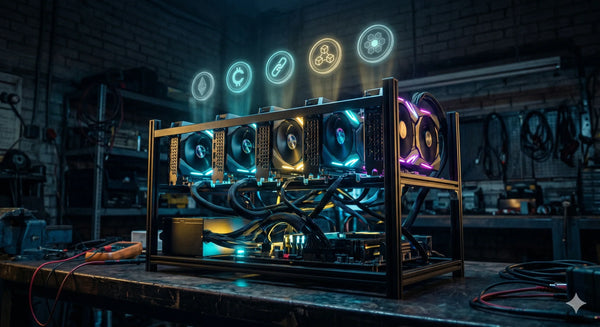
- Frame: Open Frame ATX Mining Chassis — steel, open airflow, standard ATX PSU bay
- Motherboard: ASRock H510 PRO BTC+ — 6 PCIe slots via riser for a manageable starter build
- GPUs: 6 × Sapphire NITRO+ RX 6700 XT 12GB — ~130W each tuned, strong memory bandwidth for most algorithms
- Risers: PCIe Riser 009S Plus × 5 (slot 1 connects directly)
- PSU: 1200W PCIe 5.0 ATX 3.0 Modular PSU — total rig draw ~860W, landing at ~72% load
This rig runs cleanly on a single PSU, fits on a standard 10A circuit, and leaves thermal and electrical headroom for sustained 24/7 operation. It's a solid starting point for anyone moving from a single card or an ASIC into a proper GPU rig build.
Final Checklist Before You Buy
- Calculate your GPU load at tuned power limits, not rated TDP
- Add 10–15% for system overhead (board, CPU, risers, fans)
- Divide by 0.75 to find your minimum PSU wattage (targeting 75% load)
- Choose Gold-rated or better for 24/7 operation at Australian electricity rates
- Select fully modular for clean cabling in an open frame chassis
- Verify 220–240V input compatibility
- Count your cable requirements before buying — PCIe 8-pin × GPUs + 6-pin × risers
- Plan dual-PSU from the start if building a 10+ GPU rig
- Check your circuit breaker rating and consult an electrician if scaling beyond one rig
Browse the full range of GPU rig accessories at MinerHub including PSUs, open frame chassis, risers, and mining motherboards — all stocked in Perth and shipped Australia-wide.