Whether you've just ordered your first ASIC or you're still weighing up the options, this guide walks you through everything — from choosing a miner to your first accepted share on a pool.
Getting into Bitcoin mining can feel overwhelming at first — there's a lot of jargon, a lot of hardware options, and a lot of people online who seem to disagree on everything. The good news? Actually setting up a miner is simpler than it looks. If you can plug in a router and connect a device to Wi-Fi, you can get a Bitcoin miner running.
This guide is written specifically for Australian miners. We'll cover the hardware that makes sense at Australian electricity rates, the pools that work well from here, and the tax considerations you'll want to know about upfront.
Step 1 — Understand What You're Actually Doing
A Bitcoin miner is a specialised computer — called an ASIC (Application-Specific Integrated Circuit) — that does one thing: it runs billions of calculations per second trying to solve a cryptographic puzzle. When it solves one, it earns the right to add a new block to the Bitcoin blockchain and collects the block reward in BTC.
You won't be doing this alone. Miners around the world pool their computing power together (a "mining pool") so that rewards are shared proportionally. Think of it like a lottery syndicate — your chances of winning solo are tiny, but as part of a pool you earn small, consistent payouts.
Key terms to know:
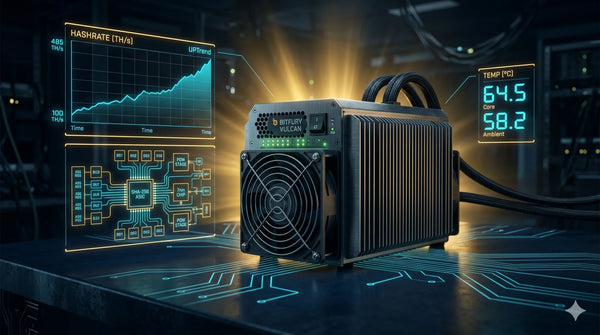
- Hashrate — the speed your miner works, measured in TH/s (terahashes per second). Higher = more earnings.
- Efficiency — measured in J/TH (joules per terahash). Lower = cheaper to run.
- Difficulty — a global setting that adjusts every ~2 weeks to keep block times at ~10 minutes.
Step 2 — Choose the Right Miner for Australia
The single biggest factor in Australian mining profitability is electricity cost. At 25–35c/kWh (common residential rates), you need an efficient miner — not just a fast one.
As a beginner, look for these specifications:
- Hashrate of at least 100 TH/s for meaningful earnings
- Efficiency of 25 J/TH or better (the lower the number, the better)
- A manufacturer with an established service history (Bitmain, MicroBT, Canaan)
- Stock in Australia to avoid customs delays and GST complications
Before buying any miner, calculate your all-in electricity cost per kWh including supply charges. Use a profitability calculator (NiceHash or WhatToMine) with your exact rate to model expected returns at current difficulty.
Step 3 — What You'll Need Before You Start
Gather everything before your miner arrives so you're ready to plug in and configure immediately:
- 240V power outlet — most ASICs need a 10A or 15A outlet; check your miner's specs
- Wired ethernet connection — Wi-Fi is not supported on most ASICs
- A network switch or spare router port — to connect the miner to your local network
- A laptop or desktop on the same network — to access the miner's web interface
- A Bitcoin wallet address — to receive your payouts (a hardware wallet or exchange address works)
- A mining pool account — sign up at Antpool, F2Pool, or ViaBTC before the miner arrives
Note: ASICs generate significant heat and are loud. Plan for this before your miner arrives. A garage, shed, or dedicated room with good airflow is ideal. Running a miner in a bedroom or living area is not recommended.
Step 4 — Connect and Power On
When your miner arrives, inspect the packaging for any transit damage. Then:
- Place the miner on a flat, stable surface with clear airflow front and back
- Connect the ethernet cable to your router or switch
- Connect the PSU cables to the miner hash boards
- Plug the PSU into your 240V outlet and power on
- Wait 60–90 seconds for the miner to boot — fans will ramp up loudly, this is normal
Step 5 — Find Your Miner's IP Address
To configure your miner, you need to access its web interface. First, find its local IP address:
- Log into your router admin panel (usually 192.168.1.1 or 192.168.0.1) and look for connected devices
- Alternatively, use a network scanner like Angry IP Scanner (free, Windows/Mac)
- Most Bitmain Antminers also support the Bitmain IP Reporter tool — hold the reset button for 5 seconds to broadcast the IP
Step 6 — Configure the Mining Pool
Type your miner's IP address into a browser on the same network. The default login for most Antminers is root / root. Navigate to Miner Configuration → Pool Settings and enter your pool details. Example for Antpool:
- Pool URL 1: stratum+tcp://stratum.antpool.com:3333
- Worker: YourAntpoolUsername.worker1
- Password: 123 (any value works)
Add a second and third pool URL as backups. Click Save and the miner will restart and begin hashing within a few minutes.
For Australians, Antpool, F2Pool, and ViaBTC all have low-latency Asia-Pacific servers. Check each pool's fee structure (typically 1–2.5%) and minimum payout threshold before committing.
Step 7 — Monitor Your First 24 Hours
After a few minutes, check the Miner Status page in your dashboard. You should see:
- All hash boards reporting a hashrate close to the rated spec
- Pool status showing "Alive" or "Connected"
- Accepted shares climbing over time
- Temperature readings under 85°C
Log into your mining pool dashboard online — within 10–20 minutes you should see your worker appear and shares being recorded. Your first payout will arrive once you exceed the pool's minimum threshold (typically 0.001 BTC).
Australian tax note: The ATO treats Bitcoin mining as assessable income at the fair market value of BTC at the time it is received. Keep records of every payout — date, BTC amount, and AUD value on that day. Tools like Koinly or CoinTracking make this straightforward from day one.
Step 8 — Ongoing Maintenance
A well-maintained miner can run for years. Keep on top of:
- Dust cleaning — blow out the fans and heatsinks every 1–3 months with compressed air
- Firmware updates — check the manufacturer's website every few months for stability updates
- Profitability checks — recalculate your returns whenever electricity rates or Bitcoin difficulty changes significantly
- Pool performance — monitor your pool's luck and uptime; switch if you see persistent issues
That's it — you're a Bitcoin miner. Start simple, monitor closely for the first week, and don't hesitate to reach out to the MinerHub team if you hit any snags.